Sharing Centre
The Sharing Centre is your centralized hub for managing all shared vault entries. Whether you're sharing passwords with team members or collaborating on sensitive documents, the Sharing Centre provides complete visibility and control over your collaborative security efforts.
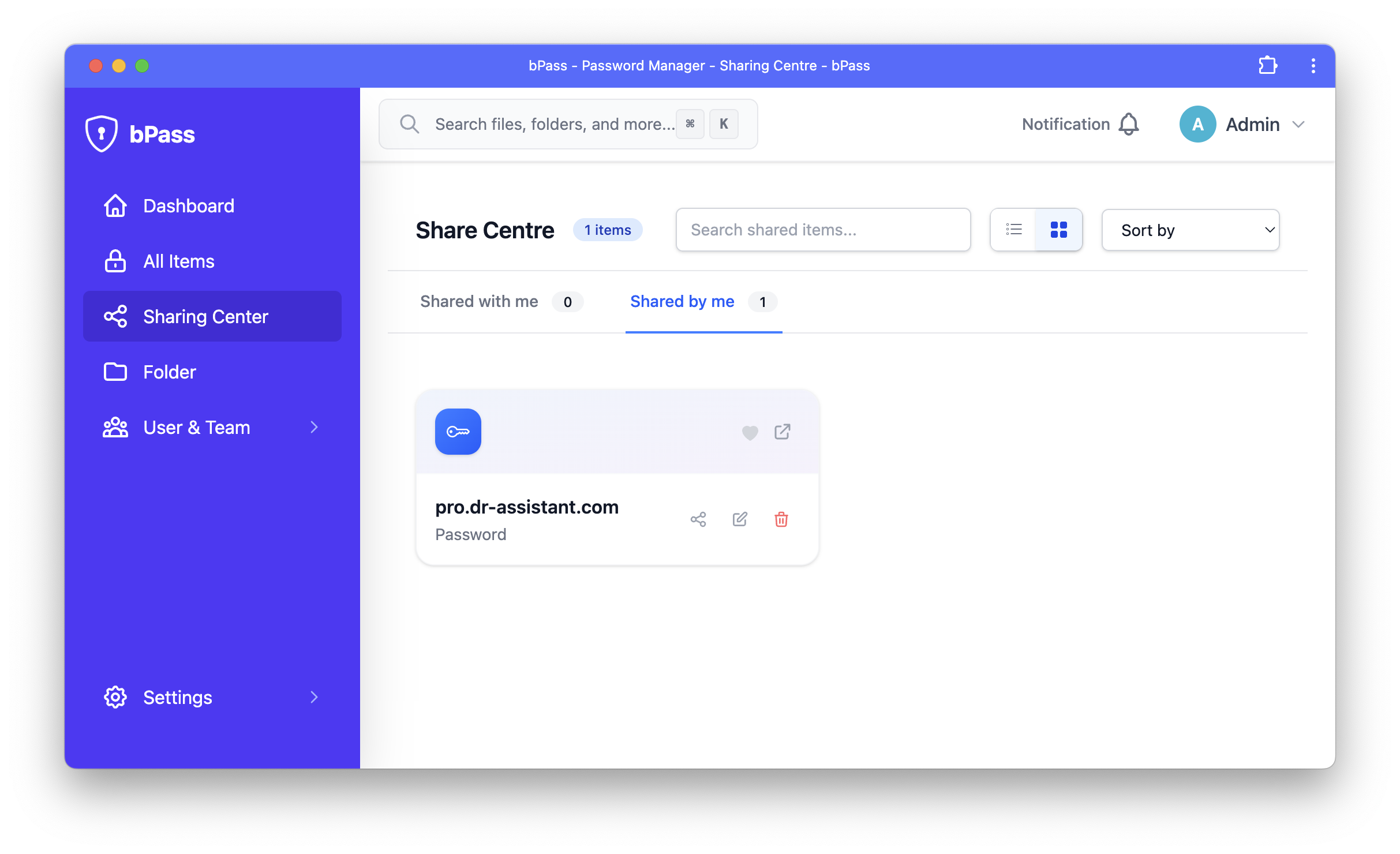
Overview
The Sharing Centre provides a comprehensive view of:
- Items You've Shared - Entries you've shared with other users or teams
- Items Shared With You - Entries others have shared with you
- Team Shared Items - Entries shared with your entire team
- Sharing History - Complete audit trail of sharing activities
- Permission Management - Control access levels and modify sharing settings
Key Features
📋 Comprehensive Sharing Overview
Get a complete picture of your sharing activities:
- Visual Indicators - Clear icons showing sharing status and permissions
- Quick Filters - Filter by sharing type, date, or permission level
- Search Functionality - Find specific shared entries quickly
- Sort Options - Organize by date shared, entry type, or recipient
🔐 Permission Management
Fine-grained control over access permissions:
- View Permissions - See exactly who has access to each entry
- Modify Access - Change permission levels without re-sharing
- Revoke Access - Instantly remove access for any user or team
- Bulk Operations - Manage multiple shares simultaneously
📊 Activity Monitoring
Track all sharing-related activities:
- Access Logs - See when shared entries are viewed or modified
- Change History - Track modifications to shared entries
- User Activity - Monitor individual user access patterns
- Export Reports - Generate sharing reports for compliance
Accessing the Sharing Centre
Navigation
Access the Sharing Centre through multiple entry points:
- Main Navigation - Click "Sharing" in the main navigation menu
- Dashboard Widget - Quick access from the dashboard
- Vault Actions - Direct link from vault entry sharing options
- Notifications - Click on sharing notifications to go directly to relevant entries
Interface Layout
The Sharing Centre is organized into several key sections:
Tabs and Views
- All Shares - Complete overview of all sharing activities
- Shared by Me - Entries you've shared with others
- Shared with Me - Entries others have shared with you
- Team Shares - Team-level sharing activities
- Pending - Share invitations awaiting acceptance
Managing Shared Entries
Entries You've Shared
Monitor and manage entries you've shared with others:
View Shared Items
- Entry Details - See which entries you've shared
- Recipient List - View all users who have access
- Permission Levels - Check current access levels for each recipient
- Share Date - Track when entries were originally shared
Modify Sharing
- Add Recipients - Share with additional users without creating new shares
- Change Permissions - Upgrade or downgrade access levels
- Update Expiration - Set or modify sharing expiration dates
- Add Notes - Include sharing context or instructions
Revoke Access
- Individual Removal - Remove specific users from shared entries
- Bulk Revocation - Remove multiple users simultaneously
- Complete Revocation - Stop sharing an entry entirely
- Immediate Effect - Access is revoked instantly across all devices
Entries Shared With You
Manage entries that others have shared with you:
Accept Invitations
- Pending Invitations - View shares waiting for your acceptance
- Preview Information - See entry details before accepting
- Accept/Decline - Choose whether to accept shared access
- Notification Preferences - Configure alerts for new shares
Use Shared Entries
- Access Levels - Understand your permissions for each entry
- Edit Capabilities - Know what you can and cannot modify
- Copy Information - Extract data for your own use
- Request Changes - Ask for permission upgrades when needed
Team Shares
Manage team-level sharing activities:
Team Entry Access
- Team Vaults - Access entries shared with your entire team
- Role-Based Access - Permissions based on your team role
- Team Hierarchy - Understand access inheritance
- Department Shares - Access department-specific shared entries
Team Administration
- Manage Team Shares - Control team-wide sharing (admin only)
- Set Team Policies - Configure sharing rules and restrictions
- Monitor Team Activity - Track team member sharing behavior
- Bulk Team Operations - Manage multiple team shares efficiently
Advanced Features
Sharing Analytics
Gain insights into your sharing patterns:
Usage Statistics
- Most Shared Entries - Identify frequently shared items
- Active Recipients - See who accesses shared entries most
- Sharing Trends - Track sharing activity over time
- Entry Performance - Understand which entries are most valuable to share
Security Metrics
- Access Patterns - Monitor unusual access behavior
- Permission Usage - Track how different permission levels are used
- Revocation Rates - Understand sharing lifecycle patterns
- Compliance Metrics - Generate reports for security audits
Automation Features
Streamline sharing management:
Smart Suggestions
- Suggested Recipients - AI-powered recipient recommendations
- Permission Recommendations - Optimal access level suggestions
- Duplicate Detection - Avoid redundant sharing
- Sharing Templates - Pre-configured sharing patterns
Scheduled Operations
- Automatic Expiration - Set entries to expire automatically
- Regular Reviews - Schedule periodic access reviews
- Batch Processing - Queue sharing operations for off-peak hours
- Notification Schedules - Customize when sharing alerts are sent
Security and Compliance
Encryption
All sharing activities maintain the highest security standards:
- End-to-End Encryption - Shared entries remain encrypted
- Secure Key Exchange - Recipients receive properly encrypted access
- Zero-Knowledge Sharing - Server cannot decrypt shared data
- Forward Secrecy - Past communications remain secure even if keys are compromised
Audit Trail
Complete tracking of all sharing activities:
- Comprehensive Logs - Every sharing action is recorded
- User Attribution - Track which user performed each action
- Timestamp Accuracy - Precise timing of all activities
- Export Capabilities - Generate reports for compliance requirements
Access Control
Robust permission management:
- Granular Permissions - Fine-tuned access control
- Time-Limited Access - Set expiration dates for shares
- IP Restrictions - Limit access to specific network ranges
- Device Limitations - Control which devices can access shared entries
Best Practices
Sharing Strategy
Develop an effective sharing approach:
- Principle of Least Privilege - Grant minimum necessary access
- Regular Reviews - Periodically audit all sharing activities
- Clear Communication - Provide context when sharing entries
- Team Coordination - Coordinate with team leaders on sharing policies
- Documentation - Keep records of why entries were shared
Security Guidelines
Maintain security while sharing:
- Verify Recipients - Always confirm recipient identity before sharing
- Monitor Activity - Regularly check access logs for unusual behavior
- Use Expiration Dates - Set time limits for sensitive shares
- Revoke Promptly - Remove access immediately when no longer needed
- Educate Users - Ensure recipients understand their responsibilities
Organizational Efficiency
Maximize collaborative benefits:
- Standardize Processes - Develop consistent sharing workflows
- Use Team Sharing - Prefer team shares over individual shares for group access
- Leverage Automation - Use smart features to reduce manual effort
- Monitor Performance - Track sharing effectiveness and adjust strategies
- Continuous Improvement - Regularly review and refine sharing practices
Troubleshooting
Common Issues
Cannot See Shared Entry - Check if invitation was accepted - Verify user permissions and account status - Refresh the page or re-login - Contact the entry owner for verification
Permission Denied Errors - Confirm your access level for the entry - Check if sharing has expired - Verify your team membership status - Request permission upgrade from owner
Sharing Not Working - Verify recipient email addresses - Check network connectivity - Clear browser cache and cookies - Contact system administrator if issues persist
Getting Help
If you continue to experience issues:
- Check Documentation - Review relevant help sections
- Contact Support - Reach out to your system administrator
- Submit Feedback - Report bugs or suggest improvements
- Community Resources - Check community forums for solutions
The Sharing Centre empowers you to collaborate securely while maintaining complete control over your sensitive information. Use it to build efficient, secure workflows that enhance your team's productivity without compromising security.